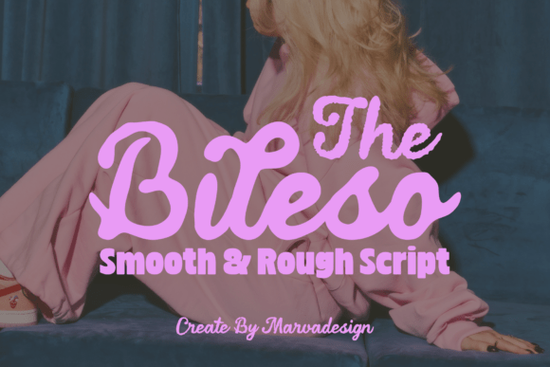
If you're looking for a retro-inspired script font that feels both nostalgic and fresh something that works just as well on a vintage-style snack bag as it does on an Instagram story header The Bileso Font is worth your attention. It’s not overly ornate, but it’s full of character: thick, flowing letters with subtle low-slanted loops that nod to 1970s diner signs without feeling like a costume. Designed for real-world use, it comes in two distinct versions clean contour lines and textured edges so you can match the look to your project’s tone, whether that’s polished or handcrafted.
What makes The Bileso Font different from other retro scripts?
Most retro display fonts lean hard into either “vintage” or “modern,” but The Bileso Font sits comfortably in the middle. Its letterforms connect smoothly (like classic cursive), but the rhythm and slant keep things lively not stiff or overly formal. That balance is why it stands out next to alternatives like Alex Brush, which leans more romantic and delicate, or Slowing, which has a looser, sketchier feel. If you’ve tried Stowy for its friendly bounce or Raisin Cookie for its playful thickness, you’ll notice Bileso brings something slightly bolder and more grounded ideal when you need impact without sacrificing readability.
Where does it work best in practice?
This isn’t a font for body text or long paragraphs. It shines where you need instant visual personality especially in contexts where handmade charm meets commercial clarity. Think:
- Custom apparel branding: T-shirt prints, hoodie tags, or small-batch merch labels that reflect indie streetwear energy
- Boutique food packaging: Candy wrappers, cookie boxes, or craft soda labels where retro warmth supports product authenticity
- Print-on-demand posters & social headers: Bold title treatments that pop on Etsy thumbnails or Instagram carousels
- Alternative beauty or wellness labels: Lip gloss tubes, soap bars, or candle jars where friendliness and flair matter
The dual style options contour and textured mean you don’t have to layer effects or add noise manually. Want clean lines for laser-cut vinyl decals? Use the contour version. Prefer a hand-printed, screen-printed look for stickers or limited-run zines? The textured variant delivers that gently imperfect edge right out of the box.
How easy is it to use across design tools?
The Bileso Font includes standard OpenType features and works reliably in Adobe Creative Cloud apps (Illustrator, Photoshop, InDesign), Canva (with upload), Affinity Designer, and most desktop-based vector or layout software. It supports Latin-based languages and includes basic punctuation, numerals, and common accented characters enough for English, Spanish, French, and German use cases. You won’t find extensive multilingual support or stylistic alternates, but that keeps the file lightweight and focused on what most small creators actually need.
Is it worth pairing with other fonts?
Yes but keep it simple. Because Bileso already carries strong personality, it pairs best with neutral sans-serifs (like Montserrat, Inter, or even system fonts like Helvetica Neue) or soft geometric typefaces. Avoid stacking it with other decorative scripts unless you’re intentionally going for maximalist collage energy. For example, use Bileso for your headline and a clean sans-serif for product descriptions or taglines. That contrast helps guide the eye and keeps messaging clear.
You can also explore similar vibes from Creative Fabrica’s collection like The Bileso Font, Alex Brush Font, or Slowing Font each offers a slightly different take on script energy, so testing them side-by-side in your layout helps clarify what fits your brand voice.
Before downloading or licensing, ask yourself: Does this solve a real design need I have right now? Will it improve how my audience reads or feels about my product? If you’re building a small business identity, launching seasonal packaging, or prepping a new POD drop, The Bileso Font is a practical, expressive tool not just another pretty download.
Quick checklist before using it:
- ✅ Test both contour and textured versions at your intended size (e.g., 48pt for posters, 24pt for product labels)
- ✅ Try it alongside your current brand fonts to confirm contrast and hierarchy
- ✅ Check spacing in your final output some script fonts need manual kerning adjustments for tight headlines
- ✅ Confirm licensing covers your use case (e.g., commercial print, digital resale, or unlimited POD)
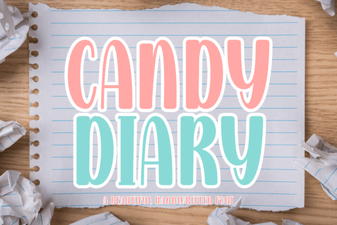 Candy Diary Font Ideas for Creative Projects
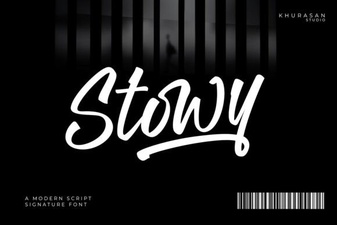 Stowy Font: a Creative Typography Toolkit for Designers
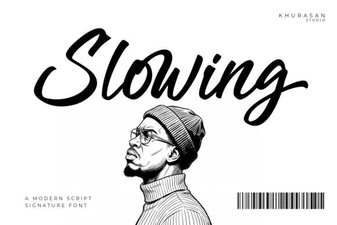 Typography Principles for Slowing Fonts in Design
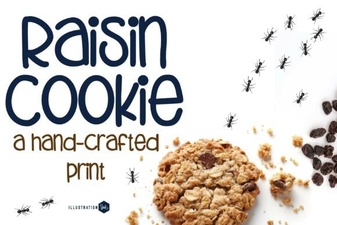 Free Family Cookie Recipe Fonts & Designs
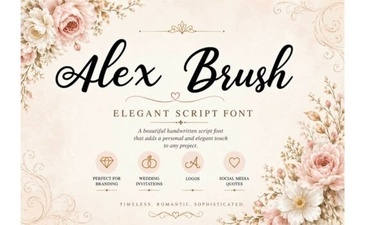 Craft Elegance with Alex Brush Font Projects
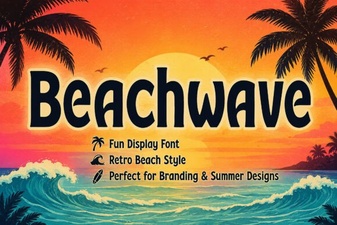 Design Projects with Beachwave Font Style