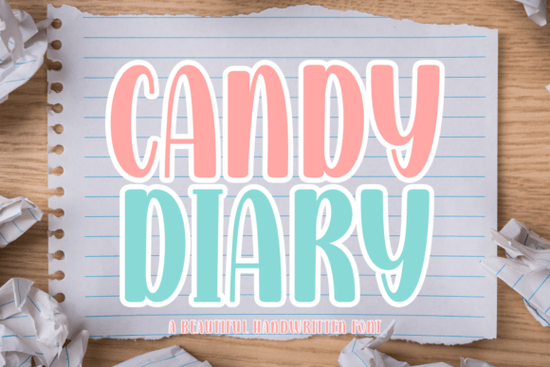
If you're looking for a friendly, hand-drawn script font that works as well on a kindergarten worksheet as it does on a boutique T-shirt or Instagram story, Candy Diary Font is worth your attention. It’s not overly decorative or hard to read instead, it strikes a relaxed balance between nostalgic charm and clean modern usability. Designed with a fine-tip marker feel, it looks like something you’d write yourself: approachable, consistent, and quietly thoughtful.
What makes Candy Diary different from other script fonts?
Many handwritten fonts lean too casual (hard to read at small sizes) or too formal (losing that warm, personal touch). Candy Diary avoids both extremes. Its letters have gentle curves and even spacing, so it holds up well in both digital and printed formats whether you’re designing a Cricut vinyl decal, laying out a Canva social post, or prepping a Procreate illustration.
It’s also carefully kerned and includes full language support, so words flow naturally without awkward gaps or collisions. That’s especially helpful if you’re making flashcards, lesson plans, or product labels where clarity matters just as much as charm.
Where do people actually use Candy Diary?
Teachers and homeschoolers love it for classroom materials think name tags, reading logs, behavior charts, and printable journals. The style feels familiar and comforting to kids, but still polished enough for professional-looking resources.
For crafters and small business owners, it shines in physical products: iron-on transfers, sticker sheets, greeting cards, and scrapbook kits. Because it’s vector-based and comes with OTF/TTF files, it scales cleanly for any size from tiny journal headers to large chalkboard-style wall art.
Print-on-demand sellers find it especially useful for baby shower invites, nursery decor, and children’s apparel. Unlike some overly stylized fonts, Candy Diary keeps its personality without sacrificing legibility on fabric or curved surfaces.
How does it work with design tools and cutting machines?
Candy Diary is fully compatible with Canva, Procreate, Adobe Illustrator, Cricut Design Space, and Silhouette Studio. You don’t need special plugins or workarounds just install the font and start typing. It supports ligatures and alternate characters in OpenType-enabled apps, giving you subtle variations for more organic-looking text.
For cutting machine users: the clean outlines mean fewer issues with weeding or registration. If you’ve ever struggled with thin, tangled script fonts on vinyl, you’ll notice the difference right away.
What else fits well with Candy Diary?
Pairing fonts thoughtfully helps your designs feel intentional not just cute. For contrast, try pairing Candy Diary with a simple sans-serif like Montserrat or Poppins for headings or body text. Or go soft and cohesive with other gentle script fonts like Raisin Cookie Family, which shares its warmth but adds a bit more bounce. If you want something slightly more structured but still friendly, Stowy Font offers clean baseline consistency. For slower, more expressive layouts say, a storybook cover or packaging label Slowing Font gives a nice rhythmic counterpoint. And if you're building a full branding suite, The Bileso Font brings elegant contrast with its refined calligraphic flow.
Is Candy Diary trending for good reason?
Yes but not just because it’s popular. It’s trending because it solves real problems: readability at small sizes, versatility across media, and emotional resonance without visual noise. You’ll see it used by educators sharing free printables on Pinterest, Etsy sellers listing custom planners, and indie brands launching limited-run stationery lines.
It’s also one of the few script fonts that translates well to both screen and print without needing manual tweaks a quiet win for anyone juggling multiple projects.
Looking for more options? You can explore similar styles directly on Creative Fabrica using their curated search: Candy Diary, Raisin Cookie Family, Stowy, Slowing, and The Bileso.
Before you download: Check the license terms most Creative Fabrica fonts allow commercial use (including POD), but always confirm usage rights for your specific project type. Install the font first, test it in your preferred app, and try it at different sizes before committing to a full design. A quick test on a mockup or proof print saves time later.
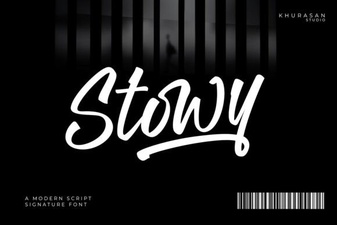 Stowy Font: a Creative Typography Toolkit for Designers
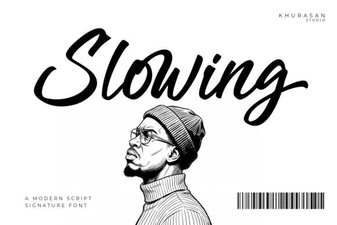 Typography Principles for Slowing Fonts in Design
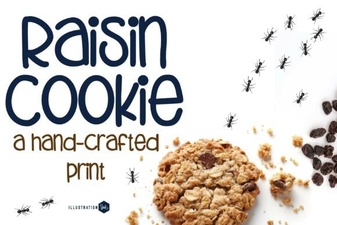 Free Family Cookie Recipe Fonts & Designs
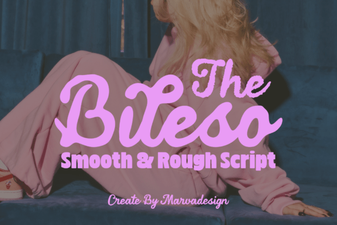 The Bileso Font: a Modern Typographic Toolkit
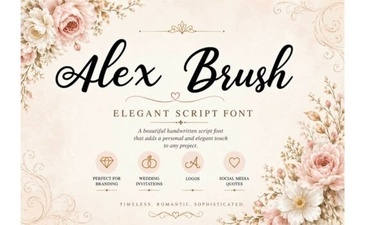 Craft Elegance with Alex Brush Font Projects
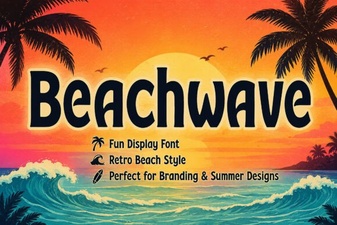 Design Projects with Beachwave Font Style