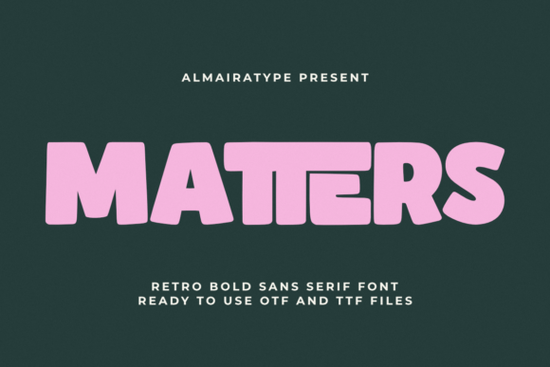
If you're looking for a bold, friendly sans serif font that works as well on a t-shirt chest print as it does on a social media banner or custom sticker sheet, Matters Font fits naturally into real design workflows. It’s not overly stylized or hard to read at small sizes instead, it balances thick strokes and soft, rounded corners in a way that feels both nostalgic and current. Think of it as the kind of typeface you’d choose when you want your text to stand out without shouting.
What makes Matters Font work so well for crafters and small brands?
First, its construction is purpose-built for physical output. The vector outlines are clean and consistent no stray nodes or thin hairlines that cause cutting errors in Cricut Design Space or Silhouette Studio. That means fewer failed weeding attempts on vinyl stickers, smoother transfers onto mugs or tote bags, and reliable results whether you’re using a desktop cutter or sending files to a local print shop.
Second, it’s designed with readability in mind across formats. Unlike some retro fonts that sacrifice legibility for flair, Matters keeps letterforms open and distinct even at 16pt on a product label or 24pt on an Instagram Story. Its lowercase “a”, “g”, and “e” avoid overly tight counters, and spacing between characters is generous enough to prevent visual crowding.
Third, it pairs easily with other typefaces. You can use Matters for headlines or short slogans while pairing it with something like Rotation Font for body text, or layer it over Campus Font for contrast in packaging mockups. For designers who like cohesive sets, the Bold Playful Bundle includes Matters alongside complementary styles all built with the same visual rhythm and technical consistency.
Who actually uses Matters Font and how?
Small apparel brands often start with one strong font for their logo lockup and tagline, then expand outward. A streetwear label might use Matters for their chest logo, then switch to Boston Font for care tags or website navigation. Print-on-demand sellers rely on fonts that convert well in thumbnail previews and Matters delivers clarity and personality even at low resolution.
Crafters building digital sticker packs or sublimation designs appreciate that it doesn’t need extra outlining or manual tweaking before cutting. If you’ve ever spent time adjusting kerning just to get a vinyl cut to stick cleanly around curves, you’ll notice the difference right away. And because it’s a single-weight sans serif (no italics or light variants), it encourages intentional, minimal layouts which often perform better in handmade markets where authenticity matters more than complexity.
It also works quietly behind the scenes: on coffee bag labels, enamel pin mockups, greeting card banners, or even embroidered patches (when digitized carefully). The key is its balance not too geometric, not too organic making it adaptable without feeling generic.
How does it compare to similar retro-inspired fonts?
Matters sits comfortably between high-contrast display fonts and neutral system fonts. It’s bolder than Rotation Font, but friendlier and less rigid than many slab serifs. Compared to Campus Font, it leans more casual and approachable great for lifestyle brands or indie makers who want warmth without leaning too hard into “vintage store” clichés.
You’ll find it shares some DNA with mid-century signage fonts, but avoids dated quirks like uneven stroke weights or exaggerated terminals. That’s why it holds up well in modern contexts like Shopify storefronts or Canva templates without needing heavy styling to feel current.
For reference, you can see how Matters Font is used by real creators on Creative Fabrica, including mockup-heavy listings and SVG bundles optimized for craft software.
A quick checklist before you download or license Matters Font
- Check your intended use: it’s licensed for commercial projects, including POD, merch, and physical products no extra fees for scaling or resale.
- Confirm file formats: includes OTF, TTF, and web-ready WOFF plus ready-to-cut SVG and DXF files for Cricut and Silhouette users.
- Test it at real sizes: try it at 20pt on a mockup of your most common product (e.g., a tumbler wrap or sticker sheet) before committing to full branding.
- Look at spacing: preview how it handles your brand’s typical phrases especially if you use ampersands, numerals, or punctuation like exclamation points.
- Try pairing it: open a blank doc and set a headline in Matters, then add a simple paragraph in Boston Font or Rotation Font to see how they share space.
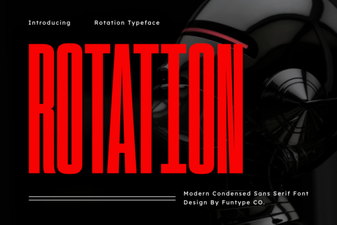 Rotation Fonts: Creative Typography for Dynamic Designs
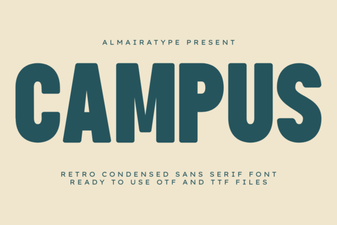 Campus Font Design Projects for Students
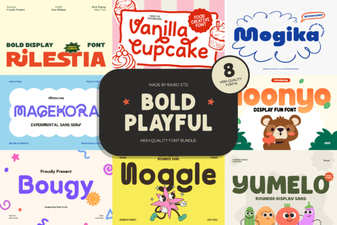 Playful Font Bundle for Creative Design Projects
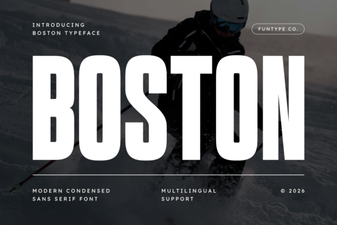 Boston Font Ideas for Modern Design Projects
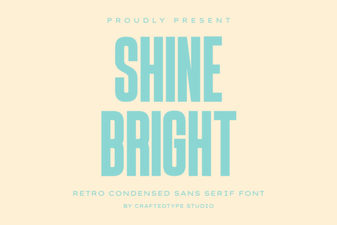 Shine Bright Font: Creative Projects & Design Tips
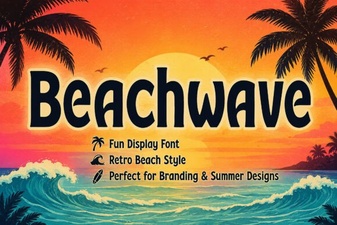 Design Projects with Beachwave Font Style